Airbus A380-800 takeoff and landing performance, from your SimBrief OFP
File an A388 in SimBrief and SkyNexus works out takeoff and landing numbers for an A380-800 with GP7270 engines: V-speeds, FLEX temperature, the best CONF and the margin on every runway distance, held to the climb rules for a four-engine aircraft. The numbers are indicative, built from public Airbus data and an A380 FCOM rather than airline charts, and the app marks every result that way. It is free and runs in your browser next to the sim.
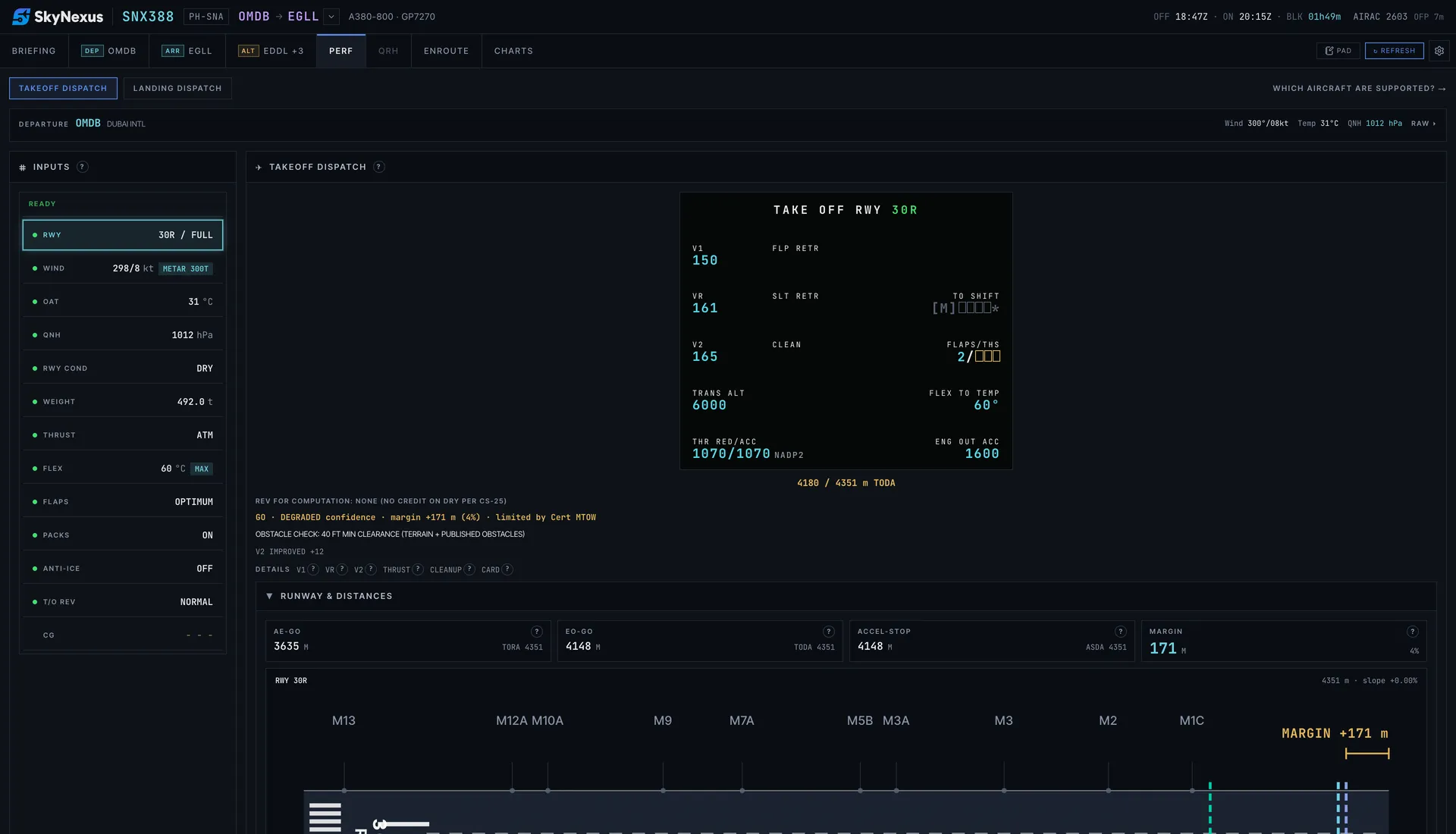
The takeoff numbers for the PERF TAKE OFF page
- V1, VR and V2 for CONF 1+F, 2 and 3. OPTIMUM checks all three and picks the one that leaves the most runway margin.
- FLEX temperature up to ISA+60 with at most 40 % thrust reduction, as in the FCOM, or TOGA when FLEX is not allowed.
- Four-engine climb rules: the takeoff is held to a 3.0 % second segment and a 1.7 % final takeoff segment, not the twin-engine figures.
- All three distances checked against the runway: all engines, engine failure and continue, and accelerate-stop, against TORA, TODA and ASDA, with the regulated takeoff weight for the day.
- An obstacle check against terrain and published obstacles, and the result laid out like the Airbus PERF TAKE OFF page.
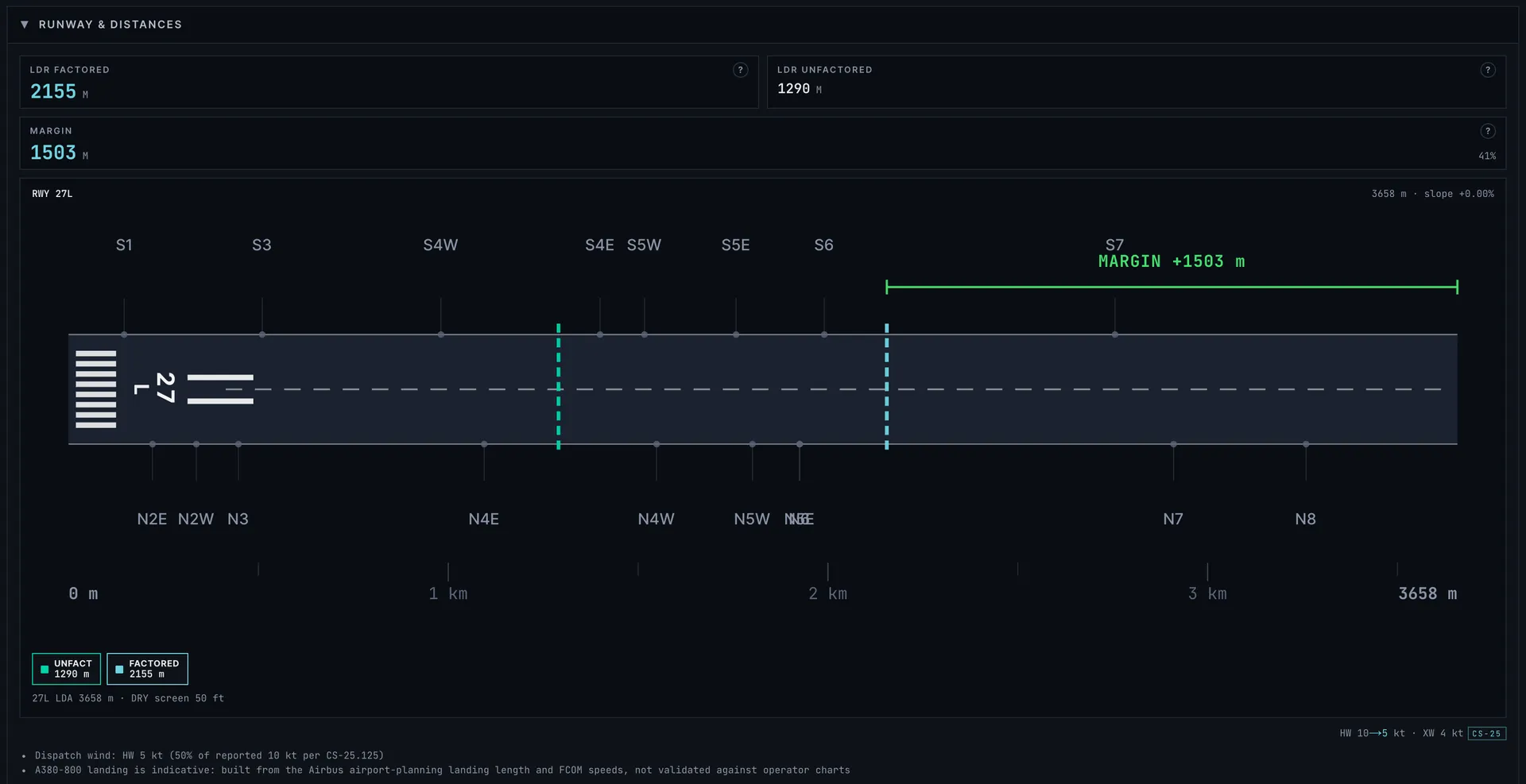
Landing in CONF 3 or FULL
Pick CONF 3 or FULL and autobrake LO, 2, 3, HI or manual braking. VLS comes from the FCOM table for your landing weight. You get the required distance factored for dispatch and the unfactored distance you can expect on the day, on a dry or wet runway. The FCOM tailwind limits apply: 15 kt, and 10 kt in CONF 3 or above 8,000 ft. The briefing also predicts which exit you will make, and the diversion assistant shows A380-800 landing margins at the alternates, tagged indicative.
Where the numbers come from
No A380 takeoff or landing charts are public, so the model is built from what is: the Airbus airport planning document for the A380 field lengths, an A380-800 FCOM for the GP7270 for speeds, limits and FLEX, the EASA type certificate for the weights, and the FlyByWire A380X autobrake values. Where the sources run out, the model takes the safe side. Every number has a help button that explains how it was worked out.
That makes the numbers indicative: close enough to fly a believable departure in the sim, but not checked against published A380-800 takeoff and landing tables the way the A320 and 737-800 models are checked against theirs. Every A380 result carries a DEGRADED confidence tag with that note. This is a tool for flight simulation and learning. Never use it for a real aircraft.
Trent 900 flight plans
The model is computed for GP7270 engines. A SimBrief flight plan that lists Trent 900 engines gets the same GP7270 numbers, and the app tells you so.
Not on the A380-800 yet
- MEL and CDL items, engine failures and other non-normal landings.
- Enroute performance, brake cooling and runway condition codes (RWYCC).
- A CG and trim check, and an A380 handbook in the QRH tab.
Other types
- A320 and A320neo performance with FLEX, OPTIMUM flap and the engine-out procedure.
- A321 and A321neo performance with QRH landing distances and failures for both types.
- 737-800 performance with QRH landing speeds, non-normal landings and brake cooling.
- 777-300ER performance with assumed temperature and OPTIMUM flap, indicative numbers.
- Every supported aircraft on one page, with what each type covers.
A380-800 performance FAQ
- Is the A380 performance calculator free?
- Yes. Create an account, enter your SimBrief Pilot ID and the performance tab is there for every A380-800 flight plan.
- Which A380 does it model?
- The A380-800 with Engine Alliance GP7270 engines, SimBrief type code A388. Because the inputs come from SimBrief rather than from the add-on, it works alongside any A380 in the sim, such as the FlyByWire A380X. Flight plans with Trent 900 engines get the GP7270 numbers and a note.
- How accurate are the A380 numbers?
- They are indicative. They come from the public Airbus planning document, an A380 FCOM and the type certificate, not from A380 airline charts, so they can differ from what your add-on's EFB shows. Every result is marked DEGRADED in the app. Use them for the sim only, never for a real flight.
- Can I use it without SimBrief?
- You can try the app with the built-in demo flight. For your own A380 flights it needs a SimBrief flight plan, which gives it the weight, runway and weather.
Get your numbers for the next A380 departure
Free, in the browser, filled in from your SimBrief flight plan.
Open SkyNexus