Turn your SimBrief OFP into a full briefing
SimBrief gives you an excellent flight plan and a long PDF. SkyNexus reads that plan and lays it out the way you brief a flight: departure, enroute, arrival and alternate, each with the weather, charts and ATC that belong to it. Enter your Pilot ID once and every new OFP shows up. Free, in the browser, next to any sim.
From Pilot ID to briefing in a minute
Enter your SimBrief Pilot ID, or sign in with your Navigraph account, and SkyNexus loads your latest OFP. Generate a new plan in SimBrief and it appears when you refresh. Signed in with Navigraph, you can pick from your recent flight plans and ask SimBrief for a new plan with a different runway without leaving the briefing. Not ready to connect yet? The demo flight shows everything first.
What SkyNexus builds from your OFP
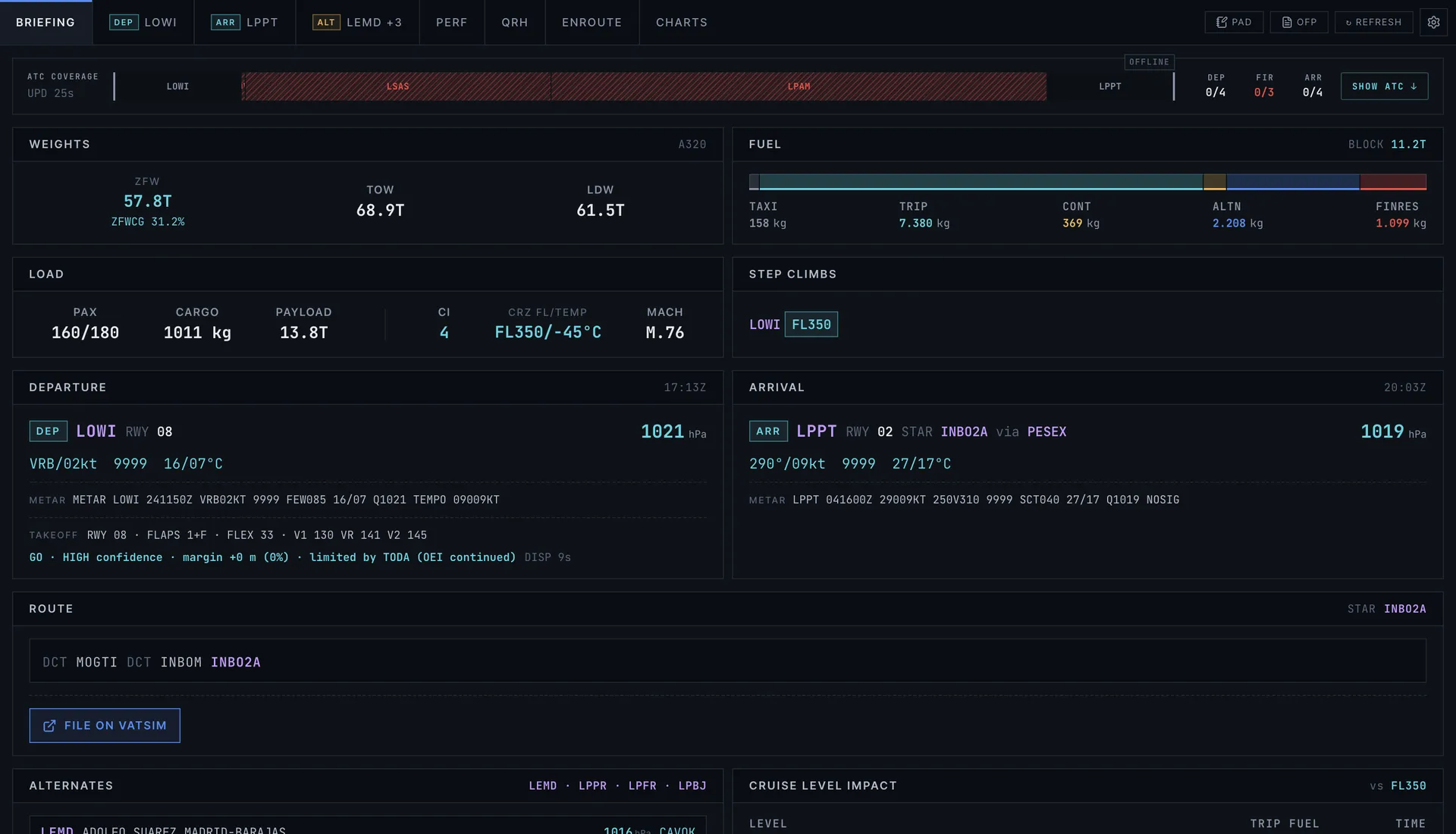
- Briefing: weights, fuel, times, route, cruise level and alternates on one page, with the threats for your flight in a banner at the top.
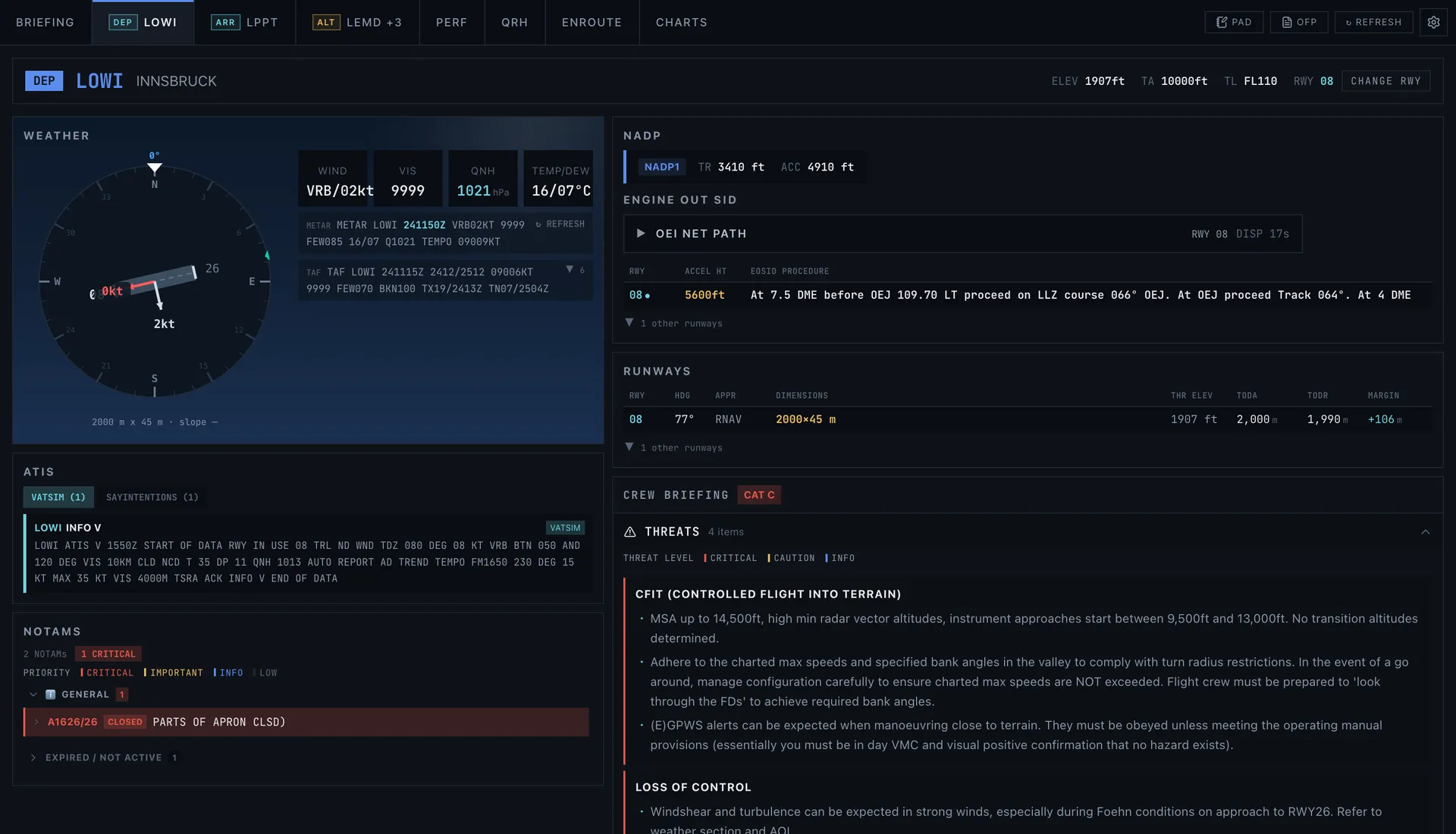
- Departure, arrival and alternate: METAR and TAF worked out into crosswind and conditions per runway, the ATIS, the noise abatement procedure, the engine-out SID and more than 100 VATSIM division briefings.
- Charts: link ChartFox for free and the plates for your filed runways and procedures are picked out and pinned.
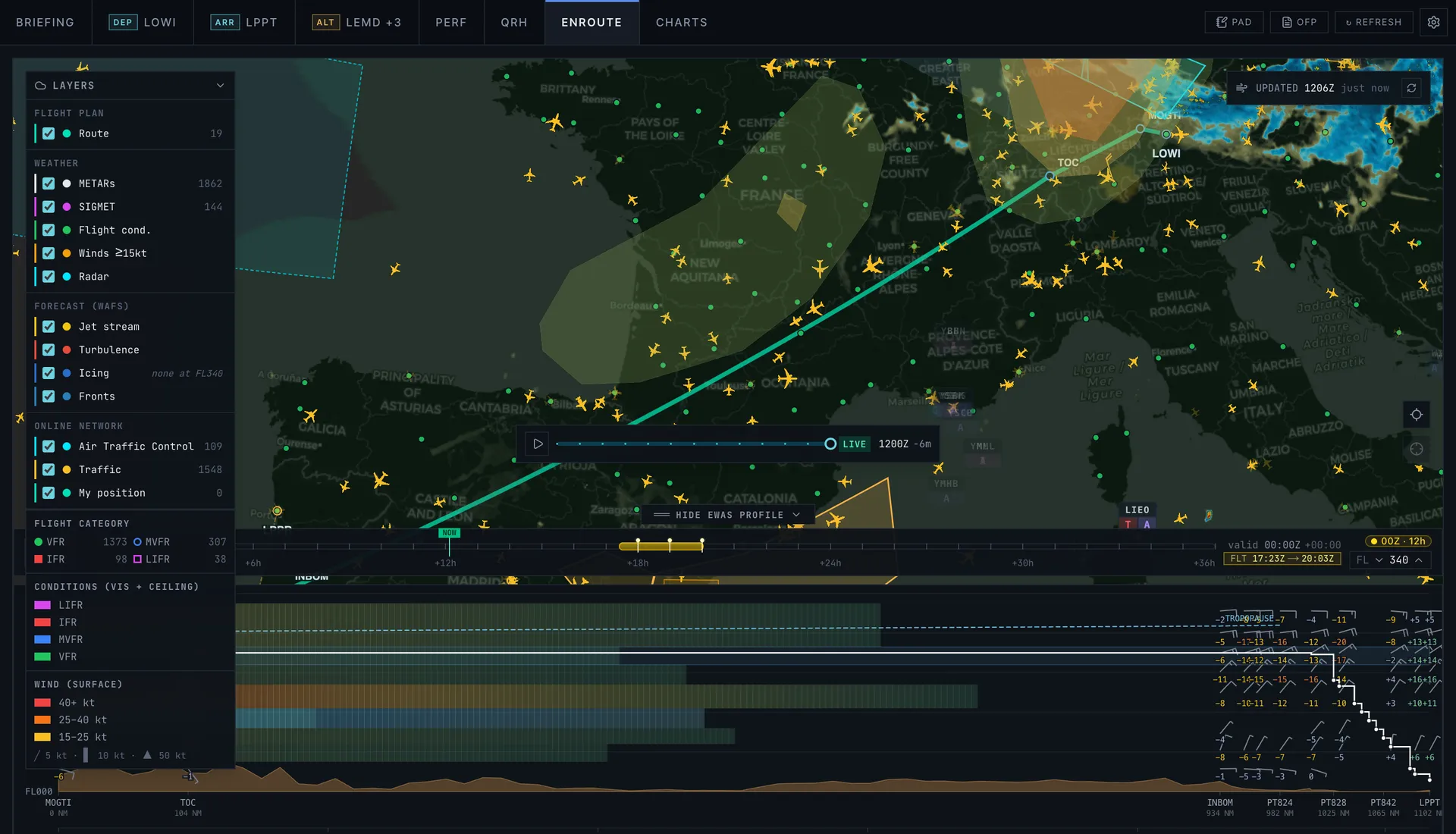
- Enroute: your route on a map with winds, SIGMETs, radar, airways and live traffic, plus an eWAS-style forecast of turbulence, icing and jet streams along the way.
- Performance: takeoff and landing numbers for the A320 and 737-800, and a prediction of the runway exit you will make.
Live ATC on your route
On VATSIM and IVAO, SkyNexus matches controllers, ATIS and FIR sectors to the route you filed by the shape of the airspace, not by the nearest airport. You see who you will talk to and when, and an alert tells you when COM1 is tuned to the wrong station. If you fly offline, one setting turns all network lookups off.
Runs next to any simulator
SkyNexus is a web page. Open it on a second screen, a tablet or your phone while you fly MSFS 2024, MSFS 2020, X-Plane or Prepar3D. There is nothing to install and nothing to update.
SimBrief EFB FAQ
- Is SkyNexus free?
- Yes. You only need a SimBrief account for your own flight plans, and SimBrief is free too.
- Do I need a Navigraph subscription?
- No. A SimBrief Pilot ID is enough, and charts come from ChartFox, which is free. Signing in with Navigraph is optional and adds the flight plan list and the runway change.
- Does SkyNexus change my SimBrief flight plan?
- It only reads your OFP. The one exception is when you are signed in with Navigraph and ask for a different runway: then SimBrief makes a new plan for you.
- Which simulators does it work with?
- Any simulator you plan with SimBrief, including MSFS 2024, MSFS 2020, X-Plane and Prepar3D.
- Does it work offline, without VATSIM or IVAO?
- Yes. Set the online network to Offline and SkyNexus skips all network lookups. The rest of the briefing works the same.
Brief your next flight from the OFP
Enter your SimBrief Pilot ID and your latest flight plan becomes a full briefing.
Open SkyNexus