Why takeoff calculators disagree
SimBrief, your add-on EFB and SkyNexus give different FLEX and V-speeds. Engine, ceo or neo, FLEX caps, runway data, wet rules and weight explain why.
By Joeri Smits, founder of SkyNexus
You plan a departure, run it through two or three calculators and get three answers: FLEX 54 in one, 50 in the next, 47 in the third. Which one is right? Usually all three are doing their job. They are answering slightly different questions, with slightly different inputs, and the takeoff is sensitive enough that small differences add up. This post goes through the reasons one by one, so the next time two numbers disagree you know where to look.
I build SkyNexus, so I know its method in detail. For the other tools I only state what their makers publish, and I link to it. Where I could not find a public description of how a tool works, I say so and do not guess.
1. They are not modelling the same aircraft
“A320” is not one aircraft. Fenix, for example, sells its A320 with CFM56-5B4 or IAE V2527-A5 engines, and with wingtip fences or sharklets. Two engines with the same thrust at sea level on a cool day can behave quite differently on a hot day or at a high airport, which is exactly where FLEX is decided.
Then there is ceo against neo. The A320neo has different engines, a different thrust lapse and different weights. If your SimBrief plan says A320 and you are flying a neo, every tool that reads the plan is working with the wrong aircraft. SkyNexus has a separate model per type and engine: the A320ceo with CFM56-5B4, the A320neo with LEAP-1A26, the A321 with V2533-A5, the A321neo with LEAP-1A32 and the 737-800 with CFM56-7B26. Fly a different engine option and you should expect a few degrees of difference against a tool that models yours.
2. The ceiling on FLEX is not the same everywhere
FLEX cannot go above a maximum. On the A320ceo and A320neo the published ceiling is ISA + 55, which is 70 °C at sea level and about 2 °C lower for every 1 000 ft of elevation. On the A321 with V2533-A5 engines it is ISA + 42. On the 737-800 Boeing publishes the maximum assumed temperature as a table against outside temperature and pressure altitude. A tool that uses a flat 70 °C cap, or a cap for another engine, will give a higher FLEX on a long runway at a high airport than one that follows the published ceiling. On long runways this is a common reason for a difference: the runway would allow more, and the tools disagree only on where to stop.
3. The runway is not the same runway
A runway has more than one length. The takeoff run available (TORA), the takeoff distance available including a clearway (TODA) and the accelerate-stop distance including a stopway (ASDA) can all differ, and each limit is checked against its own one. SkyNexus uses the declared distances from the airport data. Some tools read the runway from the simulator instead; the FlyByWire docs say their flyPad calculator uses the MSFS runway data. Simulator scenery and the AIP do not always agree, and a few hundred metres of runway is a lot of FLEX.
Intersection departures make this bigger. Taking off from an intersection removes runway behind you. A tool that does not account for the intersection gives a number for a longer runway than the one you are using.
4. Some check obstacles, some do not
After an engine failure the aircraft has to clear terrain and obstacles in the departure sector with a margin. At an airport with a hill or a mast off the end of the runway, that can limit the takeoff long before the runway does. The FlyByWire docs are open that obstacle clearance is not covered by their calculator. SkyNexus checks the engine-out flight path against terrain and published obstacles, so at an obstacle-limited airport its FLEX will be lower, and the help button names the obstacle that set it. At an airport with flat surroundings, the two will agree much better.
5. Wet runways have their own rules
A wet runway is not simply a dry runway with worse brakes. The certification rules change several things at once: the aircraft only has to be at 15 ft instead of 35 ft at the end of the takeoff distance after an engine failure, reverse thrust may be counted when stopping, and V1 is usually lower so the stop still fits. Each of those moves the answer in a different direction. A tool that only makes the stop longer will give a lower FLEX than one that applies the full set of wet runway rules. On a contaminated runway, such as standing water or snow, FLEX is not allowed at all and the takeoff is flown with full thrust.
6. Wind, temperature and the moment you asked
The takeoff rules do not use the reported wind as it is: only half of a headwind may be counted, and a tailwind counts one and a half times. Tools that skip this factoring give a better answer into wind and a worse one with a tailwind. On top of that, each tool reads the weather at a different moment. A METAR that is half an hour newer can bring a different temperature, QNH or wind, and with it a different answer.
7. The weight is not the same weight
A planned weight and a loaded weight are rarely the same. SimBrief and SkyNexus start from the weights in your OFP. An add-on EFB may use what you loaded in the aircraft, which can differ if you changed the passengers, the cargo or the fuel after planning. A tonne is a noticeable difference in FLEX and in V-speeds. When two numbers disagree, comparing the takeoff weight each tool used is the quickest check there is.
8. The speeds are a choice, not only a result
V1 is not fixed by the weight alone. Many tools use a balanced V1, where the distance to continue after an engine failure equals the distance to stop. Others shift it, for example lower on a wet runway. If the engine-out climb is tight, V2 can be raised above its minimum to climb better, which costs runway. Minimum control speeds set a floor under V1 and V2. Each of these choices moves V1 by a few knots between tools, even when the FLEX is the same.
9. What the numbers are built on
Behind every calculator is a model, and the model is only as good as the data it was checked against. SkyNexus builds each type from public Airbus and Boeing material, the EASA type certificates and the open-source OpenAP performance library, and checks it against published tables for that type. Where the data runs out, a confidence tag says so, and the 777-300ER and A380-800 are marked indicative throughout.
SimBrief announced takeoff and landing performance on its news page in July 2024, for a large list of aircraft. I could not find a public description of the data it is built on, and I found no official description of how the performance tool in the iniBuilds A320neo works either. That does not make them wrong, but it means I cannot tell you why they differ from SkyNexus in a given case. Fenix and FlyByWire describe what their calculators do, and the links above go to their own pages.
What to do when two calculators disagree
- Check the inputs first. Weight, runway and intersection, wind, outside temperature, QNH, runway condition, flap, packs and anti-ice. A big difference often turns out to be an input difference.
- Find the limit. Ask each tool what limited the takeoff. If one is limited by an obstacle and the other does not check obstacles, you have your answer.
- Expect a few degrees. A few degrees of FLEX and a few knots of V1 between independent tools is normal.
- When in doubt, take the lower FLEX. Less reduction means more thrust and more margin. In the sim the cost is a little noise.
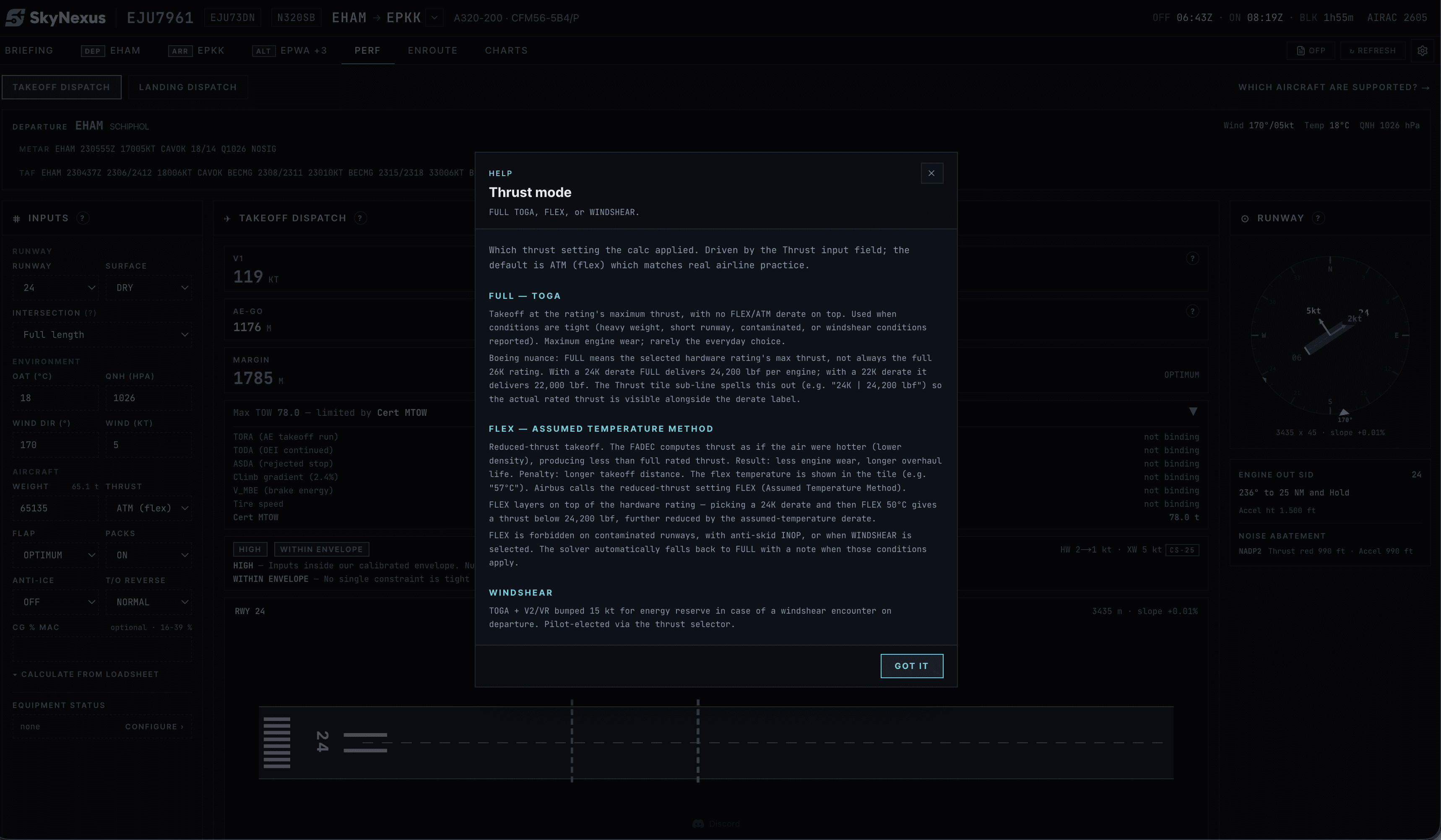
If you want to try the comparison yourself, SkyNexus is free and fills itself in from your SimBrief OFP. There are pages for the A320 and A320neo, the A321 and A321neo and the 737-800, and notes for the Fenix A320, the FlyByWire A32NX, the ToLiss A320 and A321 and the PMDG 737. For the basics of reduced thrust, read what FLEX temperature is.
Questions pilots ask
- Which takeoff calculator is the most accurate?
- The one that models your exact aircraft and engine, with the same inputs you are flying with. Beyond that, a calculator that shows its method lets you check it yourself.
- Why is SimBrief's FLEX higher than SkyNexus?
- Common reasons are a different weight, a different FLEX ceiling, runway data or an obstacle check. Open the help button on the SkyNexus FLEX to see which limit set it, then compare the inputs.
- Is a difference of a few degrees of FLEX a problem?
- No. A few degrees between independent tools is normal. If the difference is ten degrees or more, look for an input that does not match, such as the weight or the intersection.
Try SkyNexus EFB
Free, browser-based, runs alongside MSFS 2024, X-Plane or P3D. Import your SimBrief OFP and get the full briefing in under a minute.
Get Started Free