Turbulence forecasts for sim pilots: what the numbers mean
Clear air turbulence, the Ellrod index behind the forecast, how moderate and severe show on your route, and how to pick a smoother cruise level.
By Joeri Smits, founder of SkyNexus
Turbulence is the weather you feel most often in the sim, and the one most simmers plan for least. Real crews spend real effort on it: a smooth level means happy passengers, a seatbelt sign that stays off and less fuel burnt on detours. This post explains how turbulence is forecast, what the numbers in SkyNexus mean, and how to use them to pick a smoother level.
Where turbulence comes from
- Clear air turbulence (CAT) is the classic one at cruise levels. It forms where the wind changes quickly with height or across the flow, typically around the jet stream and near the tropopause, often in clear air with nothing to see.
- Mountain wave forms when strong wind blows across a mountain range, and can reach high levels.
- Convective turbulence comes with thunderstorms and is covered in the thunderstorm post.
The Ellrod index, in plain words
You cannot forecast a bump directly. What a weather model can forecast is where the wind is shearing, and that is where CAT forms. SkyNexus uses the Ellrod index (TI), a well-known turbulence index that multiplies the vertical wind shear by the deformation of the flow. The higher the number, the more likely the air is rough:
- TI 4 and above is shown as moderate turbulence.
- TI 8 and above is shown as severe.
There is no light category on purpose: light turbulence is everywhere at some point and would bury the lines that matter. The index is computed from NOAA’s GFS model for flight levels 050, 100, 140, 180, 240, 300, 340, 390 and 450, every hour out to 36 hours, with a new model run every six hours. It is a proxy, the same kind of guidance forecasters use, not a measurement of what the aircraft ahead of you felt.
How it shows up on your route
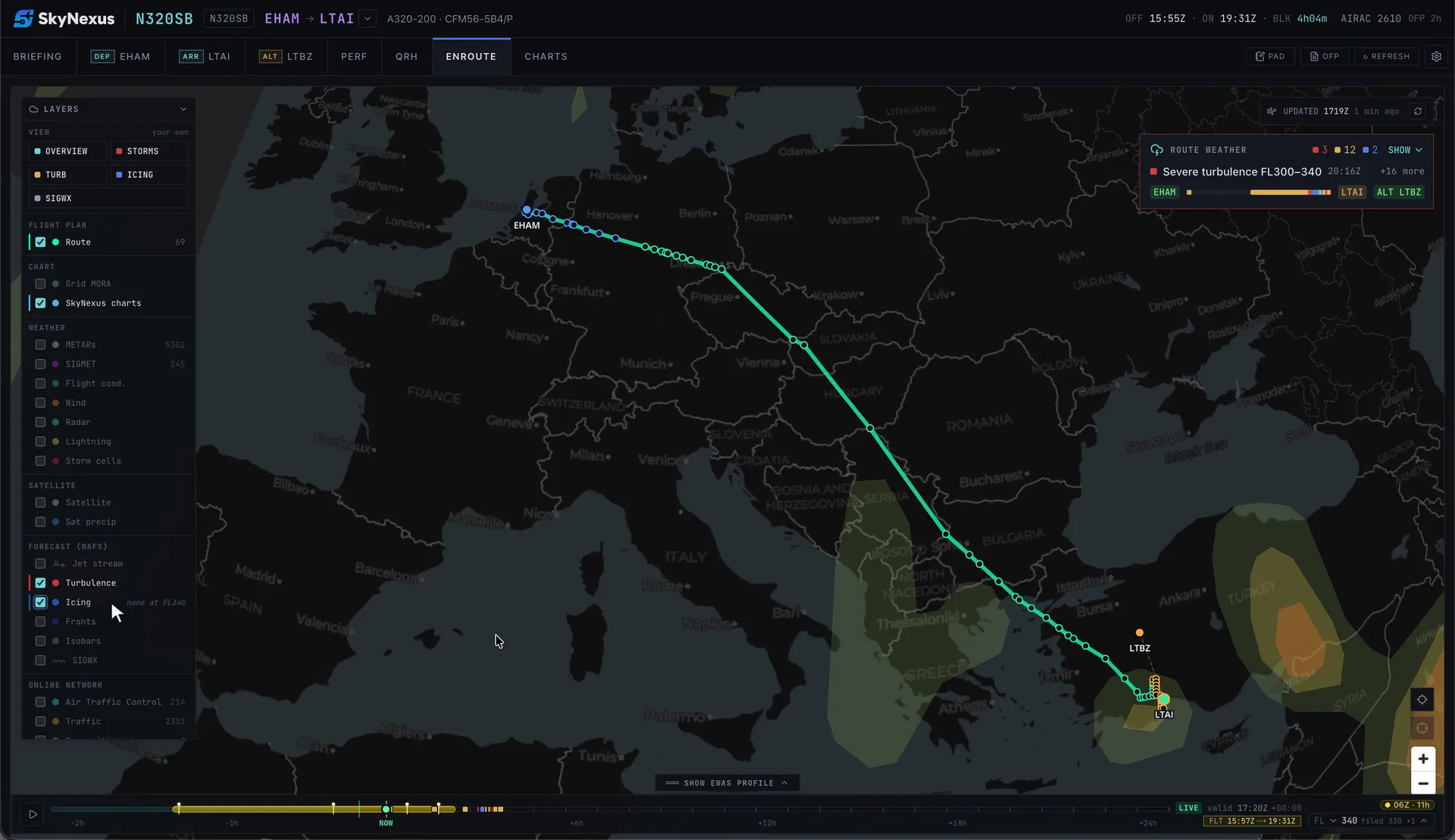
The route weather list reads the index along your path, at your level, at the hour you are there:
- Red when the index is moderate or higher at your planned level in cruise.
- Amber when it is in your climb or descent, or only in the level just above or below you (within 4,000 ft), shown as “above you” or “below you”.
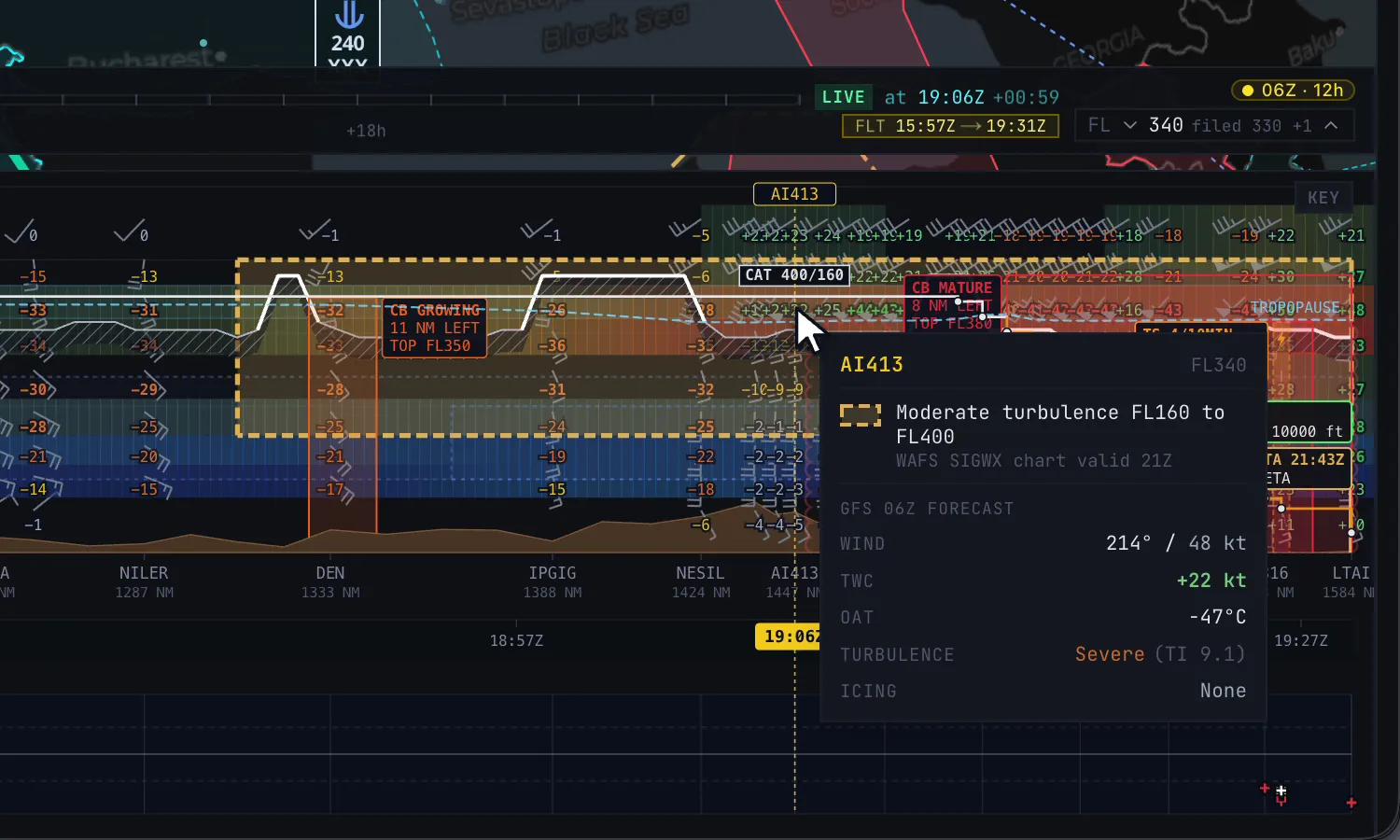
The SIGWX chart adds the official forecast on top: its CAT areas with their base and top show in the same list and in the vertical profile. When the GFS index and the SIGWX chart agree, I take it seriously.
Picking a smoother level
CAT is often shallow, a few thousand feet thick, which is why crews ask for a different level when it gets rough. You can do the same before departure:
- Look at the vertical profile along the rough stretch. If the turbulence sits in one band, a level above or below may be clear.
- Check the “above you” and “below you” lines. They tell you which direction is worse.
- Weigh it against the wind. SkyNexus also suggests a better level for wind where one exists: for each stretch of cruise of at least 30 minutes it compares the legal levels from FL240 to FL410 within 4,000 ft of your plan, and only suggests one that saves at least 2 minutes. A level with a strong tail wind near the jet can also be the rough one, so look at both.
- Change the cruise level in SimBrief and load the OFP again, or plan a step and ask ATC for it on the way.
More in this series
- How to brief weather for a flight sim flight
- Thunderstorms in the sim
- Icing for flight simmers
- The TAF at your ETA
- The SkyNexus weather map, with every layer explained.
Questions pilots ask
- Why does SkyNexus show no light turbulence?
- Because light turbulence is common enough that it would fill the list with lines that need no action. The route weather only raises moderate and severe.
- Is the Ellrod index the same as the EDR airlines use?
- No. EDR (eddy dissipation rate) is what modern forecasts and aircraft reports use. The Ellrod index is an older, well-established proxy from wind shear and deformation. It finds the same broad areas of concern, which is what matters for a sim briefing.
- Will my sim actually be bumpy there?
- That depends on the sim and its weather engine. SkyNexus forecasts the real atmosphere; how much turbulence your sim renders is up to the sim.
Try SkyNexus EFB
Free, browser-based, runs alongside MSFS 2024, X-Plane or P3D. Import your SimBrief OFP and get the full briefing in under a minute.
Get Started Free